Your receipts know where prices went up.
Snap a receipt and Zespr turns it into data: every line item recognized, the same product matched across stores. See what you spend on, how prices move, and what's still under warranty.
No bank connection. Your data stays on European servers, no ads, no data sales.

Or try it right now in your browser at zespr.app
4.8 / 5
15,000+ receipts processed
How it works
From receipt to overview in 30 seconds
- 1
Snap or share
A paper receipt, a PDF from your email, a screenshot from a store app - anything with items and a price works.
- 2
AI does the work
In seconds it recognizes the store, products, categories, prices, date and much more. Automatically.
- 3
Review and fill in
Adjust a category, add a tag or a product photo. Handy for things like electronics or clothing.
- 4
Track trends
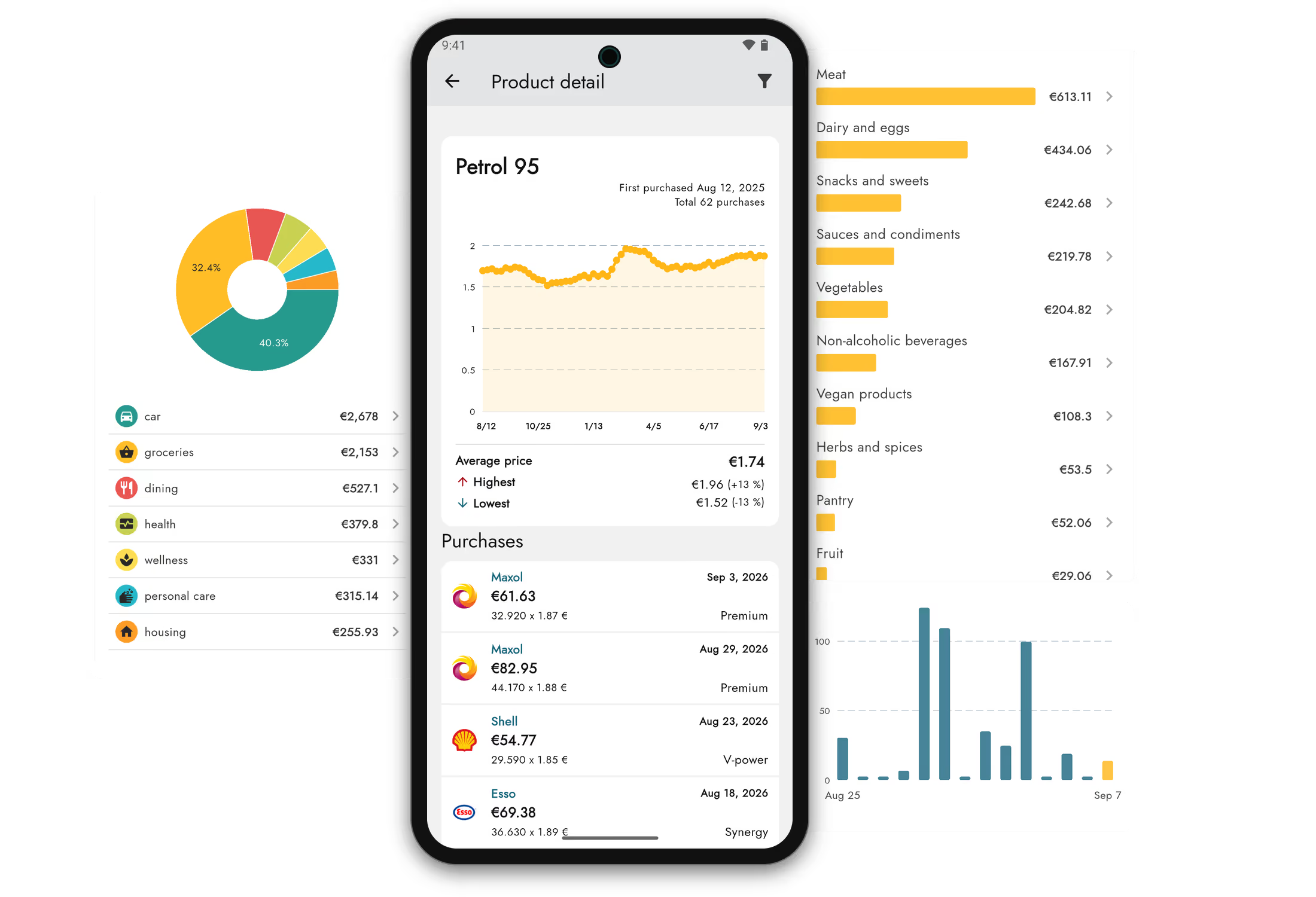
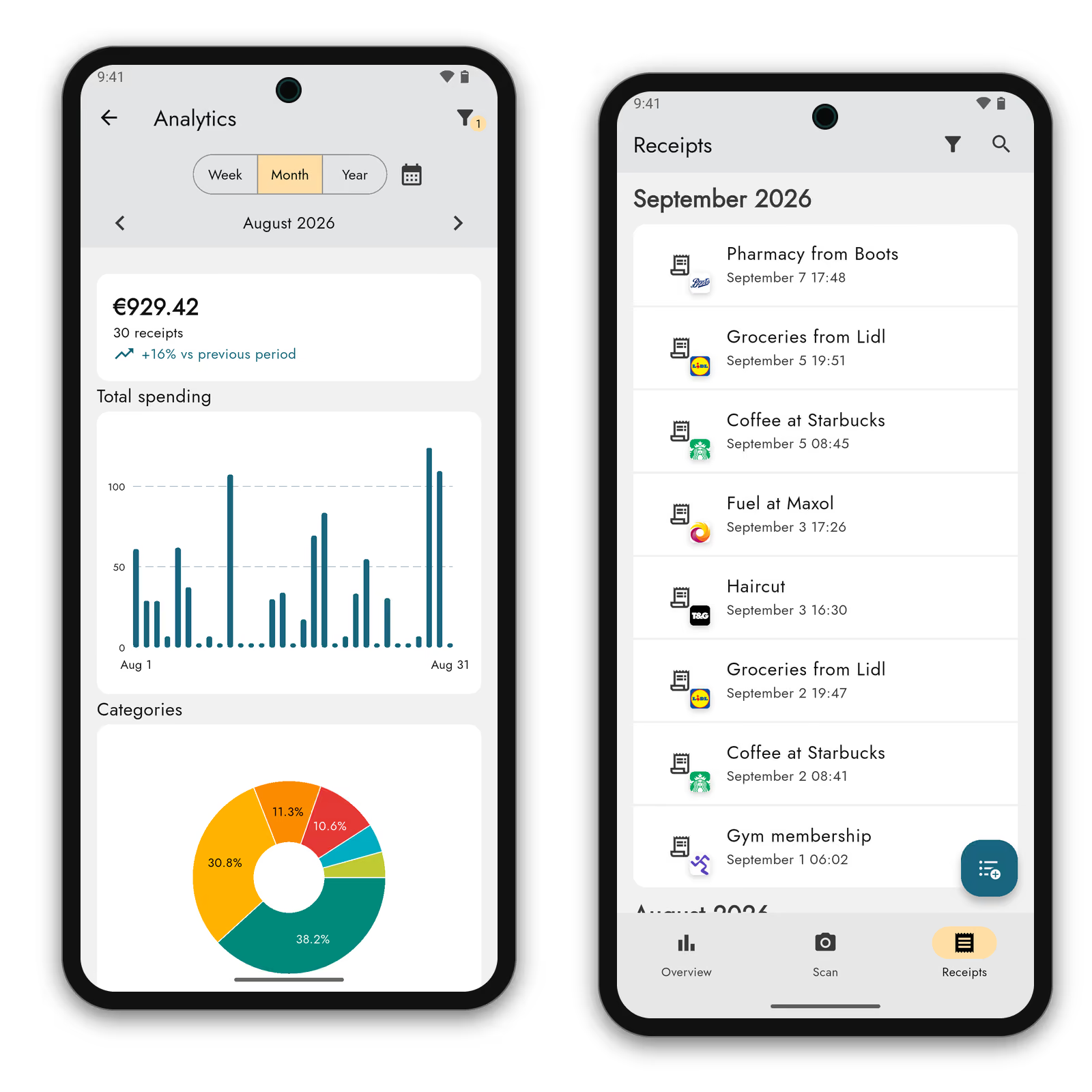
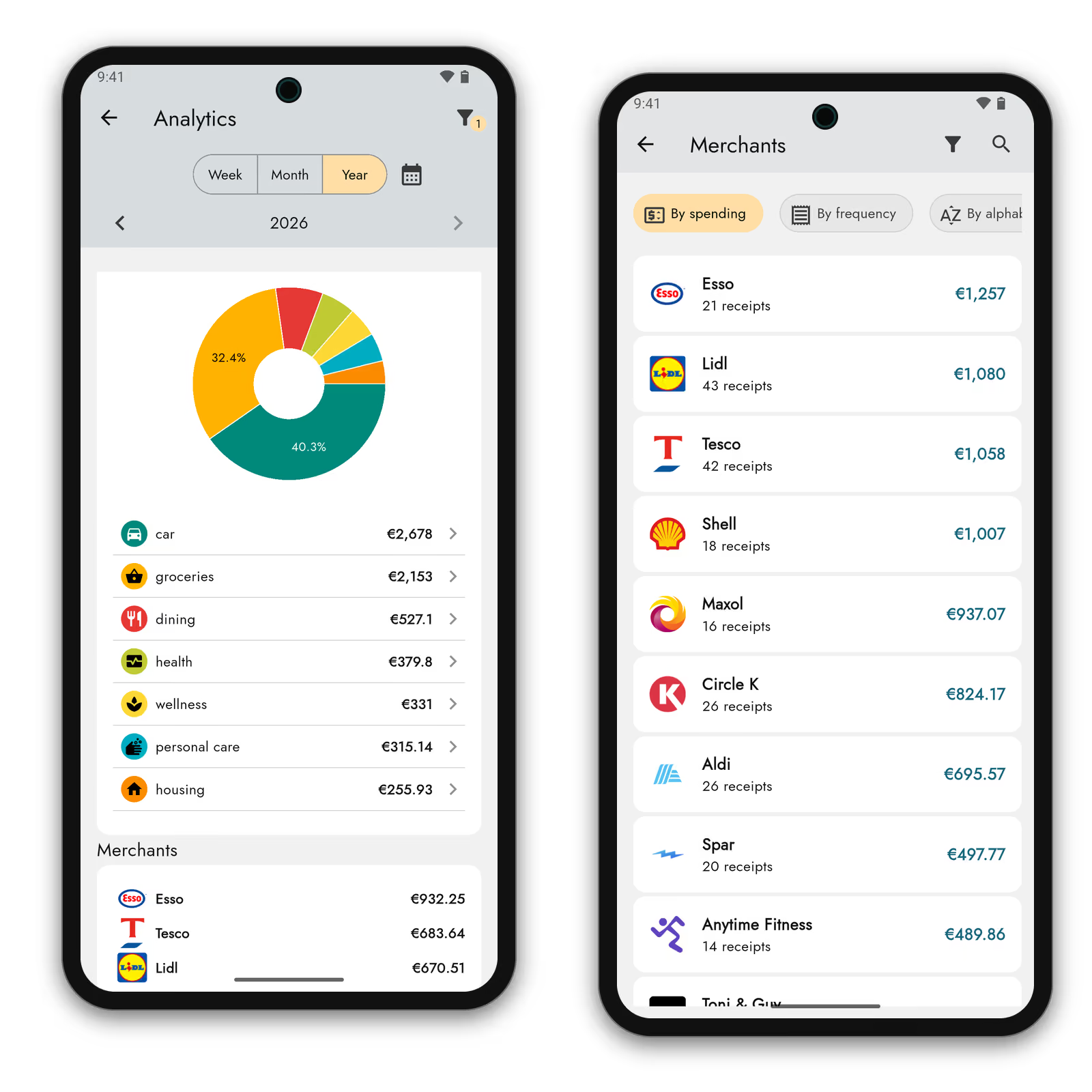
Open the overviews and see where you spend the most, what's getting pricier, and where to save.
What does Zespr do for you?
Archive, warranties, analytics, and categories - all in one place. No retyping, no busywork.
Share from other apps
Loyalty apps, email, your gallery — anything with items and a total.
One product across every store
“COCA COLA ZERO 0.5” and “Coca-Cola Zero Sugar 500ml” are one product to us.
The totals have to add up
Every receipt's line items are reconciled against its printed total.
Receipts from abroad
Foreign currency converted at the purchase-date rate.
Warranty tracking
Set automatically by category. We warn you before it ends.
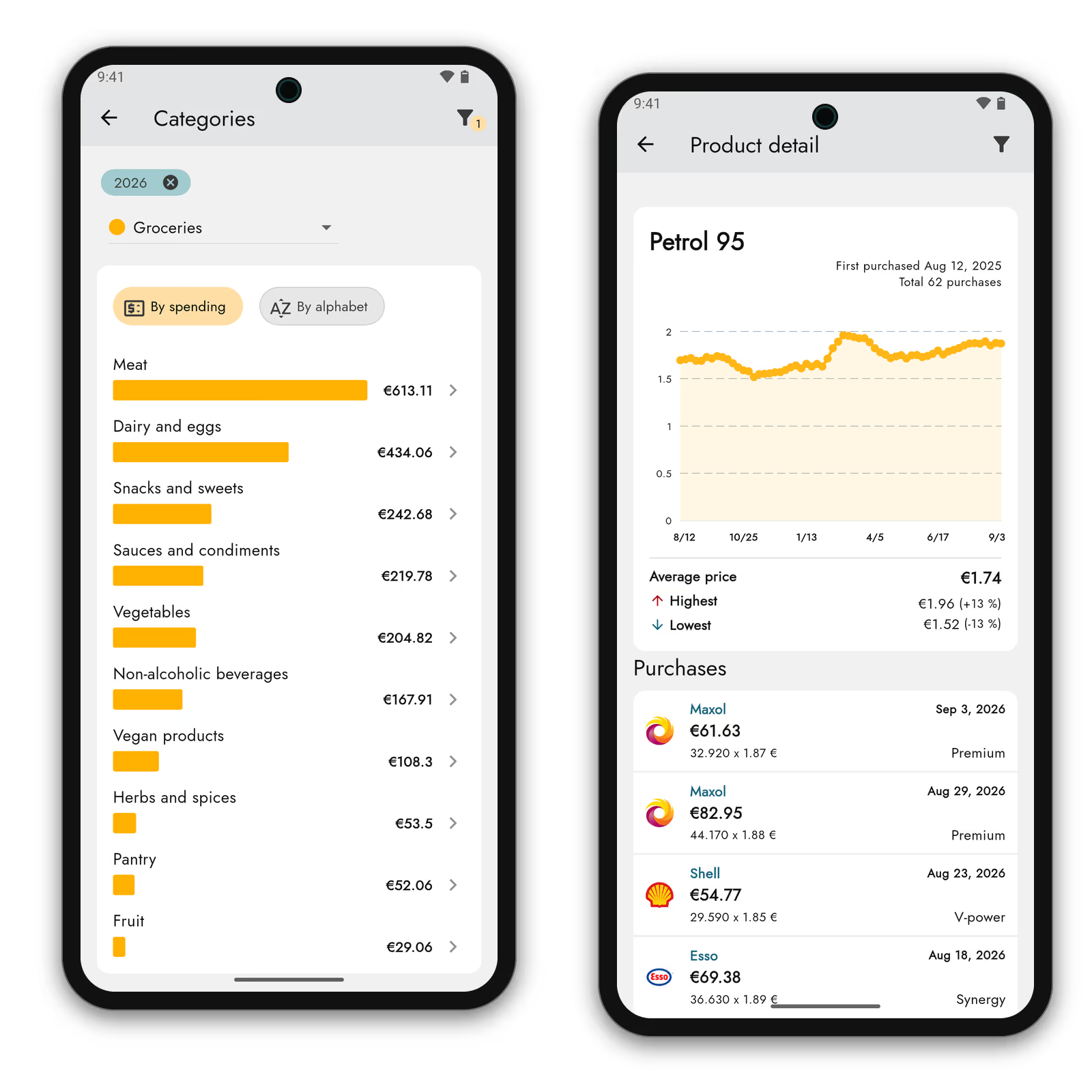
Product price history
What you paid for it last year, and what you pay now.
Web app
The same account in your desktop browser.
AI assistant access (MCP)
Ask your AI assistant about your own receipts.
One product, many names
We don't transcribe a receipt. We read it.
Every store writes product names its own way. Until someone matches them up, prices can't be compared — and that matching is the work Zespr does for you.
What the receipts said
-
Linden Street Grocery
COCA COLA ZERO 0.5 1.49
-
Corner Market
Coca-Cola Zero Sugar 500ml 1.29
-
Golden Corner Shop
COKE ZRO 0,5L PET 1.65
What came out of it
Coca-Cola Zero Sugar, 500 ml
- Brand
- Coca-Cola
- Category
- Groceries › Non-alcoholic beverages
Average price
€1.48
Cheapest at Corner Market — €0.36 less than elsewhere.
Sample data.
Insight down to the last detail
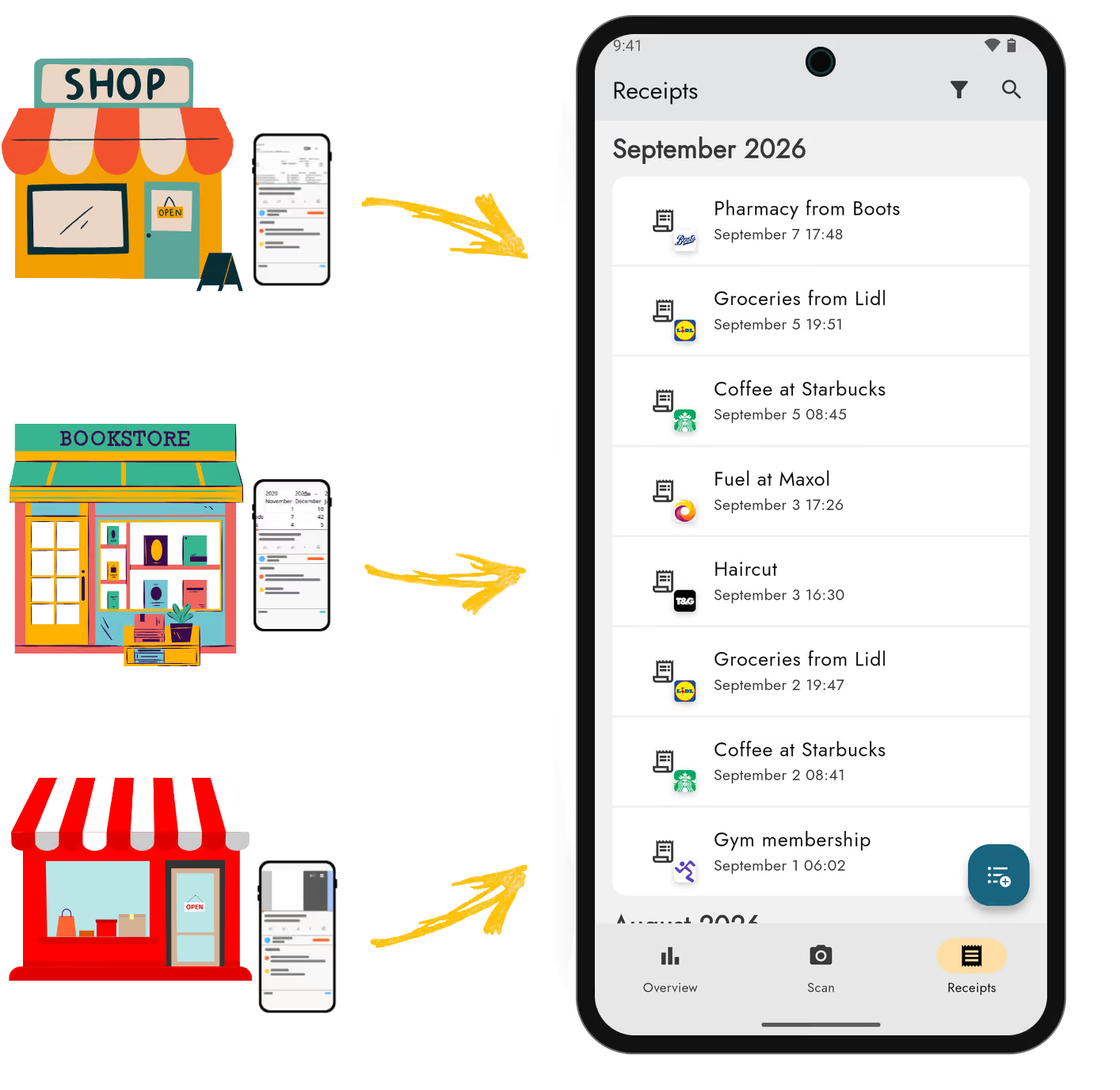
Receipts from anywhere. All in one place.
Photograph the paper one, upload a PDF, share a document out of another app. Store invoices can arrive by email, and when there's no document at all you can describe the purchase in your own words or type it in.
However it arrives, it's processed the same way and ends up in one place.
What users say
Everything is simple and clear, and at the same time you can dig into what you spend on right down to the last bread roll.
Google Play reviewTranslated from Czech, April 2026
The app works absolutely brilliantly. It even sorts handwritten receipts, which I never expected it to handle.
Google Play reviewTranslated from Czech, January 2026
Completely satisfied with how clear it is and what it can do. Email import works perfectly.
Google Play reviewTranslated from Czech, April 2026
Start for free
The free plan isn't a taster — it holds the whole product, AI assistant access included. Premium adds higher limits and automation. We wrote up why on the blog.
Free
Useful and fully functional
- 50 receipts processed monthly
- Up to 5 tags
- One product across every store
- Product price history
- Recurring expenses
- Share a receipt by link
- AI assistant access (MCP)
- Web app
Premium
For full automation
- 100 receipts processed monthly
- Unlimited tags
- Receipts from email
- Data export
- VAT breakdown
- Company registration details
- Receipts from abroad
- How strictly to check
Need a higher limit or a solution for freelancers or a small business?
Write to us Frequently asked
questions
You can share any photo or PDF into Zespr - from a store's app, an email, a message from a friend, or simply your phone's gallery. Receipts added this way are processed exactly like the ones you photograph directly in the app.
Zespr works with any receipt. Really long receipts can be scanned as three photos. And you don't even have to stick to receipts - the app understands anything that has line items and a total, so statements, some invoices, and app screenshots all work too. Don't be afraid to give it a try!
Every automatic receipt processing costs us money. We set limits to prevent abuse and to encourage active users to consider a paid plan.
We never sell or share your data with third parties. Receipts are processed anonymously and aren't tied to your identity in any way. Everything else stays exclusively on our servers in Europe, under your account.
Zespr is available for Android on Google Play and for iOS on App Store.
Your data is backed up under your account on servers in Europe. That means it's always available to you until you request account deletion.
Yes, an internet connection is required to use Zespr. We're working on making the app as functional offline as possible, but an internet connection is essential for processing new receipts.
Start today
Download Zespr.
Free.
Your first receipt will be processed in under 30 seconds.